Newsletter Subscribe
Enter your email address below and subscribe to our newsletter

 ByJohn A
More back support does not always mean better ergonomics because excessive cushioning or improper placement can push your spine out of alignment. Genuine ergonomics relies on precise lumbar positioning, adjustability, and dynamic motion rather than sheer volume or thick padding.
Key Takeaways
Most people assume that extra padding and heavier support automatically lead to better comfort. However, adding more material to a chair does not guarantee better physical alignment.
Ergonomics relies on precise support rather than sheer volume. A thick cushion placed incorrectly can easily push your body out of alignment, causing unnecessary strain throughout the workday.
In this blog, we will discuss how back support actually impacts sitting posture and walk you through the key factors that make a mere piece of furniture the best chair for ergonomics.
A thick backrest looks supportive. It often isn’t. Support only helps when it’s placed where the spine actually needs it.
Too much cushioning in the wrong spot can push the lower back forward, straining muscles instead of relaxing them.
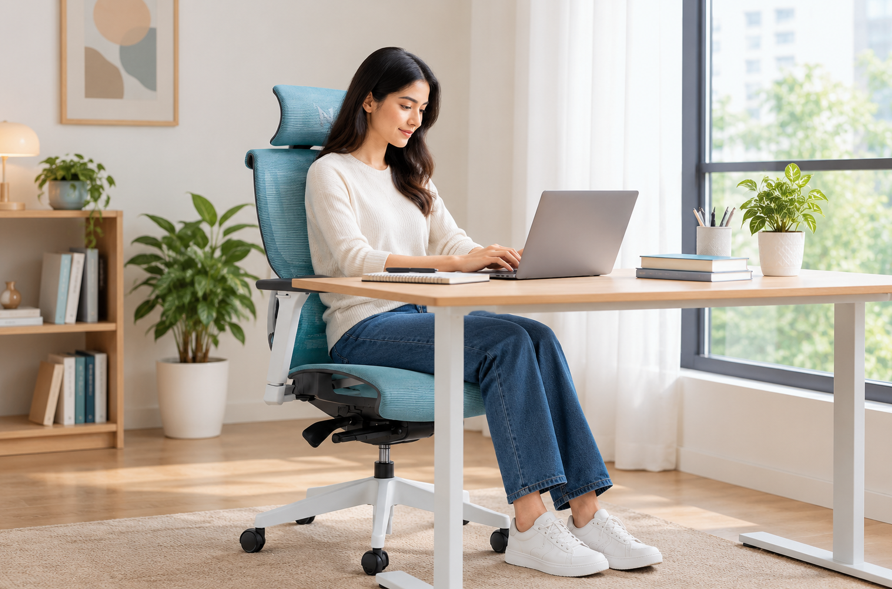
A real office chair with back support follows the spine’s natural S-curve. It doesn’t flatten it or exaggerate it.
Three things matter more than sheer thickness:
A chair that gets these right often has less visible padding than one that gets them wrong.
Different backrest designs solve different problems. None of them is universally “best.”
| Backrest Type | Best For | Trade-Off |
| Mesh with adjustable lumbar | Long sitting hours, breathability | Less plush feel |
| Foam padded, fixed lumbar | Shorter sessions, softer feel | Less adaptable to body shape |
| Dynamic/reclining support | Frequent posture shifts | Needs regular readjustment |
Table: Comparing Support Styles and Trade-Offs
This is why chasing the best chair for ergonomics isn’t about picking the most cushioned option on a showroom floor.
Two people with identical chairs can have completely different experiences. Torso length, hip width, and sitting habits all change what “supportive” feels like.
A chair that’s excellent for one person can leave another person straining. This is why adjustability outranks raw support level every time.
Height-adjustable lumbar support, seat depth control, and recline tension settings let a single chair adapt to different bodies and sitting styles.
Sometimes a chair looks ergonomic on paper but fails in practice. A few warning signs are worth watching for.
These patterns usually point to poor lumbar placement, not a lack of padding, making it easier for you to distinguish the best chair for ergonomics.
While a supportive chair holds your body upright, remaining completely still for hours can still cause fatigue. Balancing fixed support with continuous, natural movement is essential for long-term spinal health, and that is what an office chair with back support does.
Static support provides the foundation your body needs to maintain upright posture during focused work. It keeps your spine aligned, but relying on it exclusively comes with distinct trade-offs.
Dynamic movement introduces micro-shifts in posture that keep your spine flexible and engaged throughout the day. It complements your chair’s support by preventing stiffness before it starts.
Proper lumbar support is effective only when it matches the unique structure of your spine. Follow these sequential steps to test and fine-tune your chair for ideal comfort.
Before adjusting lumbar features, you must establish a baseline sitting position. Setting your seat height and depth first ensures the rest of your adjustments are accurate.
Positioning the lumbar cushion accurately is key to preventing lower back strain. Aligning it with your natural anatomy allows your spine to rest without effort.
Once the support is positioned, you need to verify that the pressure feels supportive rather than restrictive. Evaluating how your posture reacts over several minutes ensures long-term comfort.
See also: How AI Is Used in Search and Rescue Operations
More padding isn’t the same as more ergonomics. Real comfort comes from precision alignment rather than bulk.
Take control of your daily sitting environment. Make these simple setup adjustments. You will protect your spine from daily strain. You will also build a foundation for long-term comfort and health.
Check your chair setup and make sure your spine receives proper lumbar support. Opt for a properly adjusted, ergonomic office chair to protect your back and keep you comfortable throughout every workday.